


I love me some virtualization.
Whether you’re testing a web app in various O/S + browser configurations, running production hardware, testing new a O/S or just geeking out for fun, virtual machines are your friend.

I started out with VirtualBox, because it’s open source, and then went to VMWare (Fusion, specifically) to run the official Oracle Base Image (OBI). I’m pretty much settled on VirtualBox because it’s easy and cross-platform. Oh, and it’s free, as in freedom.
I came across this fun little project earlier in the week, combining Dropbox, which I really like and have covered in the past, and VirtualBox, for your very own O/S in the cloud.
Dropbox has a free option that gives you 2 GB; you can upgrade to 50 GB at a very nominal rate, which I highly recommend. However, for this exercise, the fun is in making your own cloud O/S based on free. What you need:
- A Dropbox account.
- A couple machines each with Dropbox and VirtualBox installed.
- Optionally, some time.
I’ll get to why time is optional in a minute. The LinuxHaxtor post suggests using Damn Small Linux, which comes exactly as advertised, small, really fast and functional. The short version of their instructions (you can read the long one if you prefer) is:
- Download the DSL .iso.
- Create a new disk pointing at your Dropbox folder as the location.
- Create a new machine.
- Boot to the .iso.
- Install DSL.
Changes to the virtual disk are synced to Dropbox, so all you need to do on your other machine/s is create a new machine and point it at the virtual disk stored on your Dropbox folder. Et voila.
Free cloud computing.
This, like virtualization, is way cooler than it sounds.
Observe. Here’s DSL guest on my Ubuntu host.
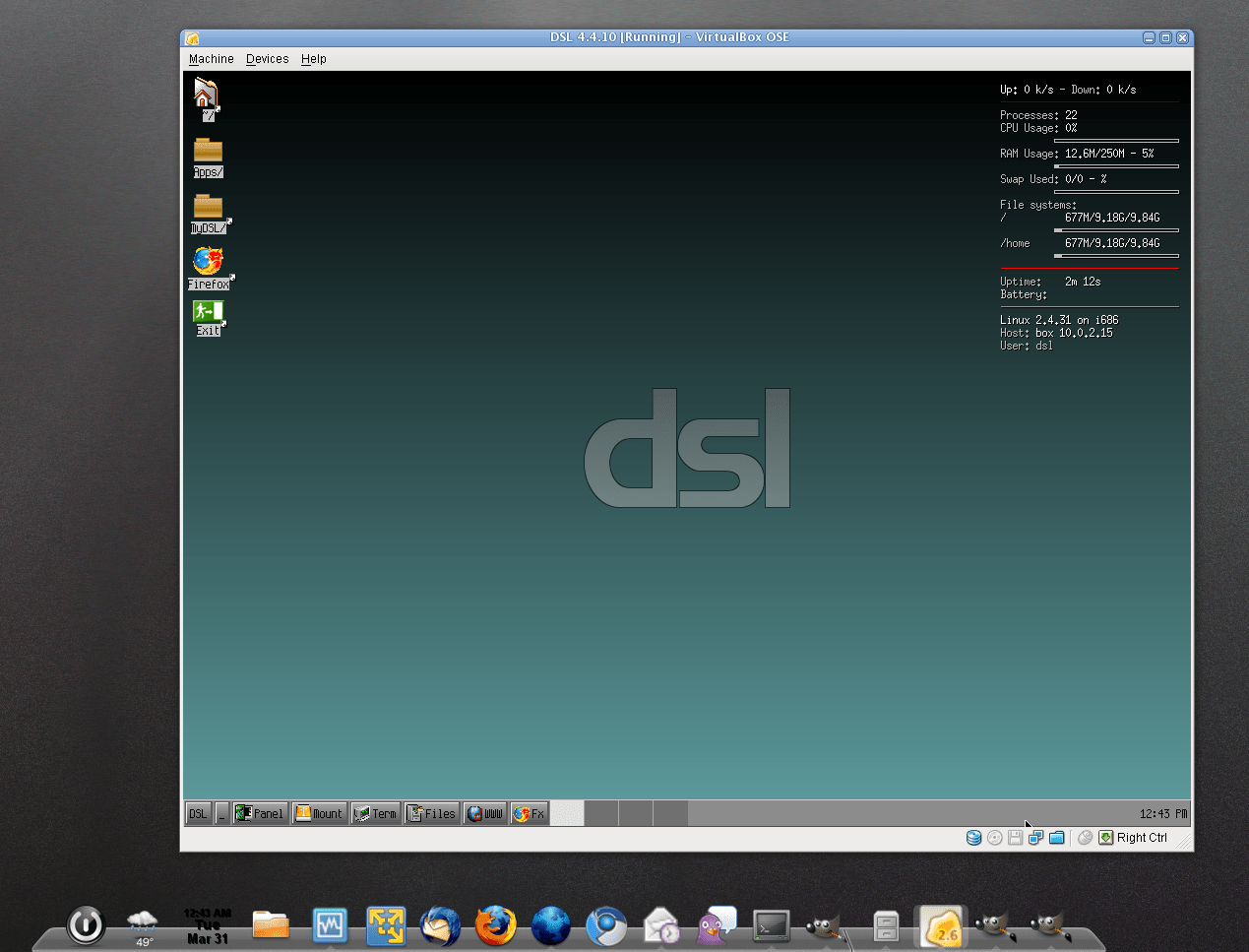
Here’s the very same DSL guest running on my OS X host. Yes, that’s the same VM, trust me.

DSL may not be the most functional distro out there, but you’ll have a place for files and apps in the cloud. And not distributed across various services or constrained by a web app. This method provides you with your own machine in the sky. Let that sink in for a bit.
So, as long as you have Dropbox and VirtualBox installed, you can replicate this on any machine, running any O/S.
The goal here was to find the smallest distro to prove the point. DSL requires only a couple hundred MB to install, and it runs well on minimal resources. Even so, my DSL disk only uses 269 MB, leaving me with plenty of space for other things.
Imagine if you paid for the 50 GB Dropbox option; you could host your own Ubuntu instance in the sky. Or if you like a smaller, but still user-friendly option, gOS would work too, requiring only about 3 GB.
This is big for me. Maybe I’m alone.
Anyway, back to the time point. I puttered around with the LinuxHaxtor instructions for a while, but I could never finish the the DSL install. I’m a hacker, not a developer.
Still, rather than quit on the idea, I Googled and found a DSL VirtualBox image ready-made. And only 269 MB.
This allowed me to skip over the pesky install steps and go straight to the proving. The results are impressive. Even with a lag when Dropbox syncs the changes, DSL is fast and lightweight, as advertised.
Using either method, the DIY one or the lazyweb one, the steps are pretty much the same. The lazyweb way means 1) no .iso booting, 2) no DSL install hiccups. If you’re suspicious of what’s in there, you’ll want to do your own install. That makes good sense.
For all its awesomesauce, virtualization has marketing problem. The average user doesn’t get it, e.g. I had to show my wife what it meant first. Once she could see it in action, she agreed it was awesome, either that or she just wanted me off her computer.
For a long time, the safest way to compute connected to the ‘tubes has been to avoid Windows. Right/wrong/indifferent Linux and Mac don’t get stuff like Conficker, not with the same regularity. However, users are accustomed to Windows, so switching is easier said than done.
Virtual machines are the answer.
Just deploy Linux boxes with Windows VMs, and using the snapshot/revert features that come with whatever virtualization software you choose, you can safely allow your users to keep their beloved Windows.
If someone gets a virus or a worm, just revert. It’s disposable.
This also provides a good way for people to try new O/S, e.g. I’ve been test driving the next version of Ubuntu Jaunty Jackalope on a VM for a few weeks. Many people did the same when Windows 7 went into beta. Of course, licensing becomes an issue with virtualization, but only if you’re deploying a for-pay O/S.
What are your thoughts, about virtualization, about this nifty (ahem, free) O/S in the sky, any of this?
Comments.

I love VMs. I do everything with them. I keep a clean Linux (CentOS 5) install as a host OS and do everything on VMs. As you mentioned, if anything goes wrong you just fire up a clone. It's also cool when you need to transfers stuff between physical machines. Just move the images. No reinstalls. 🙂
The cloud stuff sounds cool, but I wouldn't trust it for a demo. 🙂
Cheers
Tim…
Huge virtualization fan. VMware Workstation user since '01 (what version was that, 2, 3?) ESX at my last job, and Fusion these days. Dabbled w/ Parallels, and Virtualbox has been on my “check this out soon” list for way too long (free has less appeal since I've already paid for Fusion) . This cloud VM you describe sounds *very* cool; I need to give it a whirl. Thanks for the pointer!
I'm just a caveman lawyer. A caveman lawyer that likes sweet virtualization ideas like this one, though. Good on ya!
Re. performance, I didn't do much with DSL other than other prove the concept. It did seem fast enough, but I wonder how it would perform during a sync of the disk file to Dropbox.
It is cool, but check Tim's point about performance. I didn't run it long enough to see how it performed during a sync.
I know it's frightening. Because you're a caveman — that's the way you think.
Fair point. Guessing that syncing, particularly in an environment with a bandwidth imbalance (ones typical home broadband setup, for example), could be painful. Heaven knows my Mozy backups take long enough. 😛 OTOH, the real allure of virtualization for me is usually convenience, not performance, so I'll probably still check it out.
I didn't mean to dissuade you. It's still rad.
I wish it were more portable. I suppose you could install Dropbox and VBox on a friend/family PC without a huge problem. Still, having the portability of a USB stick, minus the BIOS changes would rock.
I am a huge fan of Virtualization as well. I use VM everyday as a part of my job.
I started with VMWare Workstation 3.0 for Windows back in late 2001.
I have tried Virtualbox. It does not support some of my 50+ VM images (on 2*1TB external HD^^) in vmdk format , especially some in suspend state. So I have to give up as all my VMs were built using VMWare Workstation before, and I need to get my job done:)
I don't know if you guys feel Vbox is a bit buggy.
However, I think finally I'll embrace Vbox as it is opensource and free! Once it is more stable and mature.
I agree that Dropbox can be a very good choice of 'cloud storage'.
In terms of Linux distros, I prefer Debian/Ubuntu, Arch and Gentoo for test, with light-weight XFCE or Fluxbox/LXDE as DE/WM. Package management System is the most important factor in my case.
What's buggy about VBox? I haven't hit any issues that I can remember. Personally, I find VMWare to be bloated, but then again, I don't use my VMs too extensively.
After reading your post, I decide to have a try of DSL:)